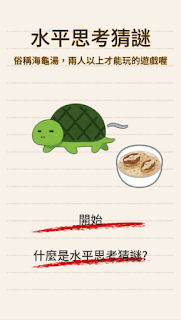
海龜湯的玩法是由出題者提出一個難以理解的事件,參與猜題者可以提出任何問題以試圖縮小範圍並找出事件背後真正的原因。但出題者僅能以「是」、「不是」或「沒有關係」來回答問題。
本遊戲蒐集各種論壇、平台的42個題目,提供給想玩海龜湯卻愁找不到題目的你們。
決定好一位出題者,就可以在聚會、活動和排隊等待種種狀況下與眾人同樂。

using System.Collections;
using System.Collections.Generic;
using UnityEngine;

public class TransformFunctions : MonoBehaviour
{
    void Start()
    {

    }

    void Update()
    {
        transform.Translate(new Vector3(0, 0, 1));
    }
}

using System.Collections;
using System.Collections.Generic;
using UnityEngine;

public class ActiveObjects : MonoBehaviour
{
    void Awake()
    {
        gameObject.SetActive(false);
    }
}
接著執行Unity時,你可以看到表示物件Active狀態的打勾被取消,場景物件消失,Hierarchy視窗下字體顯示也變淡了,表示此物件處於一個未被啟動的狀態。

using System.Collections;
using System.Collections.Generic;
using UnityEngine;

public class MyKinematic : MonoBehaviour {
    public float gravity = 9.8f;//重力
    public Vector3 velocity = Vector3.zero;//速率
    public Vector3 deltaMove = Vector3.zero;//每偵位移量

    public float halfBoundHeight;//物體的一半高度
    public BoxCollider myCollider;//物體的Collider

    public Vector3 addForce = Vector3.zero;//跳躍施力
    // Use this for initialization
    void Start ()
    {
        myCollider = GetComponent<BoxCollider>();
        halfBoundHeight = (myCollider.size.y * 0.5f) * transform.localScale.y;
    }

 // Update is called once per frame
    void Update ()
    {
        HandleKeyInput();//按鍵輸入函式
    }

    void LateUpdate()
    {
        float deltatime = Time.deltaTime;
        UpdateGravity(deltatime);//重力
        UpdateMovement(deltatime);//落下
    }

    void UpdateGravity(float deltatime)
    {
        velocity.y -= gravity * deltatime; ;
    }

    void UpdateMovement(float deltatime)
    {
        //落下
        deltaMove = velocity * Time.deltaTime;

        //碰撞判定
        Vector3 raystart = transform.position + myCollider.center * transform.localScale.y;//射線起點
        float updown = 1;//方向判定
        if (velocity.y < 0)
            updown = -1;
        Vector3 raydir = Vector3.up * updown;

        float rayLength = Mathf.Abs(deltaMove.y) + halfBoundHeight;

        RaycastHit rhf = new RaycastHit();//射線
        if (Physics.Raycast(raystart, raydir, out rhf, rayLength))
        {

            if (rhf.collider != null && rhf.collider.gameObject.tag == "ground")//地板判定
            {
                deltaMove.y = rhf.point.y - raystart.y + halfBoundHeight * -updown;
                velocity = deltaMove / deltatime;
            }
        }
        transform.Translate(deltaMove, Space.World);//物體移動
    }

    void AddForce(Vector3 force)
    {
        velocity += force;
    }

    void HandleKeyInput()
    {
        if (Input.GetKeyDown(KeyCode.W))
            AddForce(addForce);

    }
}
至於重力為什麼要重新製作,一方面是為了對整套重力系統重新做理解,另一方面則是Unity物理擬真程度的問題,有些時候其實不需要那麼真實的物理效果,而自製的物理可以簡化掉一些不需要的結果。
float dis = Vector2.Distance(nowPos, startPos);
Vector2 dir = (nowPos - startPos).normalized;
actor.Translate(new Vector2(dis * dir.x, dis * dir.y) * speed);
Debug.Log(new Vector2(dis * dir.x, dis * dir.y) * speed);
float變數dis為nowPos到startPos的距離,接著用兩點距離的normalized數值作為方向並帶入變數dir,最後將 dis * dir * speed的數值帶入actor.Translate就完成目前的移動,可以用Debug.Log看看目前移動的數值。(這裡的speed是一個全域float變數,數值0.1f)

using UnityEngine;
using UnityEngine.UI;
using UnityEngine.Networking;
using System.Collections;

public class Health : NetworkBehaviour {

    public const int maxHealth = 100;

    public bool destroyOnDeath;

    [SyncVar(hook = "OnChangeHealth")]
    public int currentHealth = maxHealth;

    public RectTransform healthBar;

    public void TakeDamage(int amount)
    {
        if (!isServer)
            return;

        currentHealth -= amount;
        if (currentHealth <= 0)
        {
            if (destroyOnDeath)
            {
                Destroy(gameObject);
            }
            else
            {
                currentHealth = maxHealth;

                // called on the Server, will be invoked on the Clients
                RpcRespawn();
            }
        }
    }

    void OnChangeHealth (int currentHealth)
    {
        healthBar.sizeDelta = new Vector2(currentHealth, healthBar.sizeDelta.y);
    }

    [ClientRpc]
    void RpcRespawn()
    {        if (isLocalPlayer)
        {
            // Set the player’s position to origin
            transform.position = Vector3.zero;
        }
    }
}
using UnityEngine; using UnityEngine.UI; using UnityEngine.Networking; using System.Collections; public class Health : NetworkBehaviour { public const int maxHealth = 100; [SyncVar] public int currentHealth = maxHealth; public RectTransform healthBar; public void TakeDamage(int amount) { if (!isServer) { return; } currentHealth -= amount; if (currentHealth <= 0) { currentHealth = 0; Debug.Log("Dead!"); } healthBar.sizeDelta = new Vector2(currentHealth, healthBar.sizeDelta.y); } }編譯後可以進行測試,測試連線時結果的方法點我。
using UnityEngine;
using System.Collections;

public class Bullet : MonoBehaviour
{

    void OnCollisionEnter()
    {
        Destroy(gameObject);
    }
}
編譯過Bullet腳本後,可以做第一次的測試,測試連線時結果的方法點我。

public GameObject bulletPrefab;添加Bullet生成位置變數:
public Transform bulletSpawn;在Update中添加以下的判斷式:
if (Input.GetKeyDown(KeyCode.Space))
{
    Fire();
}
新增一個Fire函式來發射子彈:void Fire()
{
// Create the Bullet from the Bullet Prefab
GameObject bullet = (GameObject)Instantiate (
bulletPrefab,
bulletSpawn.position,
bulletSpawn.rotation);
// Add velocity to the bullet
bullet.GetComponent<Rigidbody>().velocity = bullet.transform.forward * 6;
// Destroy the bullet after 2 seconds
Destroy(bullet, 2.0f);
}
using UnityEngine;
using UnityEngine.Networking;

public class PlayerController : NetworkBehaviour
{
    void Update()
    {
        if (!isLocalPlayer)
        {
            return;
        }

        float x = Input.GetAxis("Horizontal") * Time.deltaTime * 150.0f;
        float z = Input.GetAxis("Vertical") * Time.deltaTime * 3.0f;

        transform.Rotate(0, x, 0);
        transform.Translate(0, 0, z);
    }

    public override void OnStartLocalPlayer()
    {
        GetComponent<MeshRenderer>().material.color = Color.blue;
    }
}
這個函式只能由用戶端上的LocalPlayer呼叫,所以只會看到自己的玩家物件變成藍色,如果某功能只適用於本機,那麼OnStartLocalPlayer函式是做初始化的好地方,如攝影機設定或各種輸入等等。NetworkBehaviour類別中還有許多有用的虛擬函式,更多資訊可以參考這裡或這裡。
遊戲連結 海龜湯的玩法是由出題者提出一個難以理解的事件,參與猜題者可以提出任何問題以試圖縮小範圍並找出事件背後真正的原因。但出題者僅能以「是」、「不是」或「沒有關係」來回答問題。 本遊戲蒐集各種論壇、平台的42個題目,提供給想玩海龜湯卻愁找不到題目的你們。 ...